
Best Posture Correctors for Desk Workers: Do They Actually Work?
Disclosure: This article may contain affiliate links. We may earn a small commission at no extra cost to you. This helps support our work in providing evidence-based wellness content.
Posture correctors for desk workers are a $1B+ market built on a real problem and a small piece of the real solution. Sitting for eight hours a day at a misaligned workstation genuinely degrades posture, contributes to neck and back pain, and produces the rounded shoulders and forward head position most desk workers recognize in themselves. The question isn't whether the problem is real — it's whether wearable braces, sensors, and "smart" lumbar supports actually fix it.
The honest answer from the research: posture correctors are useful tools, but they're the smallest part of any effective intervention. The bigger gains come from changing your workstation, your movement frequency, and your muscle strength — none of which require a wearable. This guide compares the best posture correctors for desk workers in 2026, but more importantly, it tells you where they actually fit in a serious posture-fixing strategy.
What Are the Four Types of Posture Correctors?
Posture correctors fall into four categories, each working through a different mechanism and producing different long-term effects. Knowing which type you're buying matters more than the brand.
1. Soft Posture Braces
The most common category. Soft elastic harnesses that pull your shoulders back and prevent the forward-rounded shoulder position. They work through gentle constant pressure — when you slump, the brace tightens around your shoulders. Easy to put on, low-profile under loose clothing, and inexpensive. Best for short-term reminders rather than long-term wear.
2. Rigid or Structured Braces
Heavier, more medical-feeling braces with rigid panels along the back. Often marketed for "thoracic kyphosis" or upper-back support. Provide stronger correction than soft braces but are uncomfortable for extended wear and can weaken postural muscles if used continuously. Generally appropriate for physical therapy contexts under professional guidance, not 8-hour desk days.
3. Wearable Posture Sensors
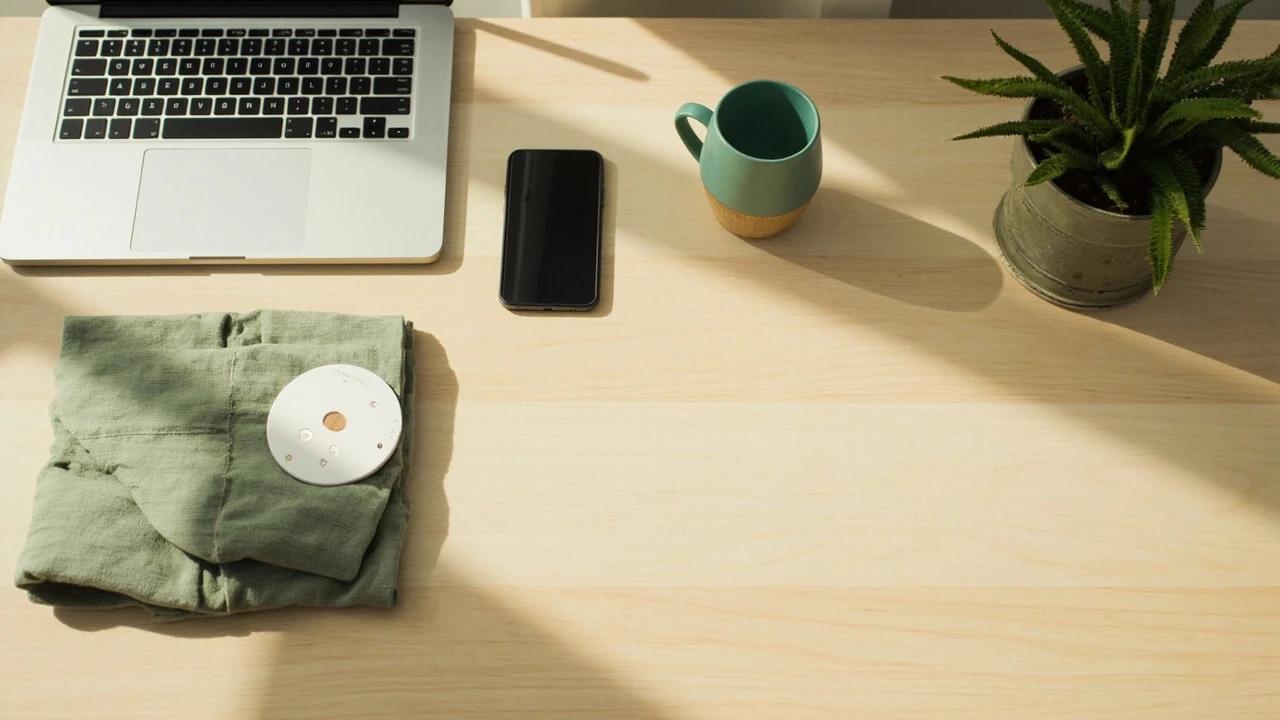
Small devices (about the size of a poker chip) that clip onto your clothing or attach with skin-safe adhesive. They detect when your posture deviates from a calibrated baseline and buzz to remind you. The newer category — and the one with the most interesting research support. Examples include Upright GO 2, Lumo Lift (discontinued but secondhand market exists), and several Apple Watch posture-monitoring apps.
4. Ergonomic Supports (Lumbar, Cervical, Saddle)
Not worn on the body — these are added to your seat or your seating position. Lumbar rolls, ergonomic cushions, kneeling chairs, and saddle stools all aim to position the spine more naturally during seated work. Different mechanism from braces and sensors: instead of correcting your posture once it's wrong, they reduce how wrong it gets in the first place.
Do Posture Correctors Actually Work?
The evidence base for posture correctors is uneven. Some categories have decent research; others rest mostly on marketing claims.
Soft and Rigid Braces
Studies on shoulder braces for "rounded shoulder posture" generally find short-term improvements in measurable posture metrics (forward head distance, shoulder protraction) while the brace is being worn. The improvements largely disappear once the brace comes off. A 2017 systematic review in the Journal of Physical Therapy Science concluded that braces alone are not effective for lasting posture correction without accompanying strengthening exercises. The mechanism makes sense: braces don't strengthen the muscles that hold good posture; they substitute for them. Continuous use can actually weaken postural muscles over time, leading to worse posture once you stop wearing the device.
Practical takeaway: braces work as short-term reminders (30-60 minute sessions while you're learning what good posture feels like) but not as a substitute for the underlying muscle work.
Wearable Sensors
The research on sensor-based feedback is more promising — but also more limited. A 2019 study published in Applied Ergonomics compared a wearable posture biofeedback device against no intervention in office workers over 8 weeks. The wearable group showed significant improvements in self-reported pain, time spent in poor posture, and forward-head position. Because the device only buzzes — it doesn't pull your shoulders into a position — it acts as a coaching tool rather than a substitute, which is the mechanism more likely to produce lasting behavior change.
The limitation: most wearable studies are short (under 12 weeks), industry-funded, or use single-blind designs. The effect is real but the magnitude is modest. Don't expect dramatic transformation; expect a useful nudge.
Ergonomic Supports
Lumbar rolls and ergonomic seating have the longest research history. The evidence supports them as part of a workstation setup, but with diminishing returns past a certain quality threshold — a basic ergonomic chair is much better than a kitchen chair, but a chair costing several times more isn't dramatically better than a mid-range one if both have adjustable lumbar support, seat depth, and armrest height. We cover the workstation fundamentals in our posture correction guide for desk workers, which is the foundational article to read alongside this product comparison.
When Is a Posture Corrector Worth Using?
This is the part most product reviews skip. Posture correctors are the fourth priority in any effective desk posture strategy, not the first.
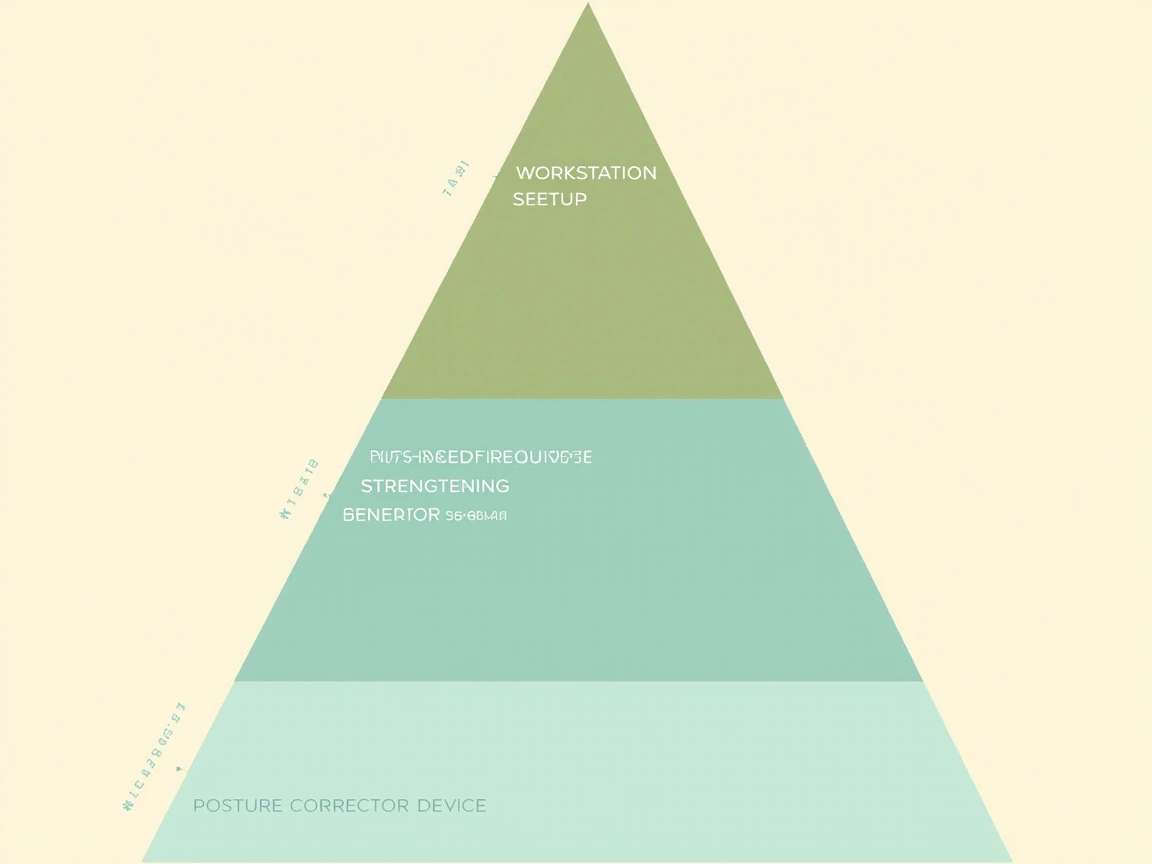
The intervention hierarchy that produces the best outcomes:
- Workstation setup — monitor height at eye level, keyboard at elbow height, lumbar-supported chair, feet flat. This eliminates the postural failure modes before they happen. Highest leverage by a wide margin.
- Movement frequency — changing position every 30-45 minutes. Standing, walking, stretching. No single position is sustainable for hours, regardless of how perfectly aligned you are when you sit down. Standing desks help here, but only if you alternate between sitting and standing rather than locking into either position.
- Strengthening exercises — the muscles that hold good posture (mid-back, glutes, deep core, neck flexors) are chronically underloaded in desk workers. Five minutes daily of thoracic extensions, glute bridges, and chin tucks does more for long-term posture than any wearable. Adding rows and face pulls with bands or weights accelerates the effect. Our resistance bands vs free weights comparison covers what to use.
- Posture corrector device — the smallest leverage of the four, useful as a complement to the first three but counterproductive as a replacement.
If you skip steps 1-3 and rely on a posture corrector alone, you'll get short-term subjective improvement and no durable change. If you do 1-3 and add a posture corrector as a learning tool, you'll get a real result faster than 1-3 alone.
Which Are the Best Posture Correctors for Desk Workers?
With the caveats above in mind, here are the products worth considering by category.
| Pick | Type | Cost tier | How to use | Trade-offs | Best for |
|---|---|---|---|---|---|
| Upright GO 2 | Wearable sensor (vibration feedback) | Mid-range | 15–60 min, 1–2 sessions/day for the first 6–8 weeks | Recurring adhesive cost; upper back only | Best overall — coaching and habit reinforcement |
| Soft figure-8 braces (ComfyBrace, BackEmbrace) | Soft figure-8 brace | Budget | 30–60 minute sessions — never all day | Continuous wear weakens postural muscles | Budget short-term reminders |
| Bonmedico, Everlasting Comfort | Lumbar roll / memory-foam support | Budget | Continuously while seated | Does not address upper back; stays with the chair | Chairs without adjustable lumbar support |
| Saddle stool / active chair (e.g., HÅG Capisco) | Active sitting | Mid-range for stools and kneeling chairs; the HÅG Capisco is premium | Replacement seating; expect a 2–4 week adaptation period | Not comfortable for everyone; some conditions contraindicate | Chronic lower-back stiffness |
Best Overall (Wearable Sensor): Upright GO 2
The wearable sensor with the most consistent research support and the best app ecosystem. Small disc-shaped device that adheres to the upper back with replaceable skin-safe adhesive. Vibrates when your upper back rounds beyond your calibrated baseline. Pairs with a smartphone app that tracks daily progress, target time goals, and weekly summaries.
- Best for: Desk workers who want a coaching tool and habit reinforcement rather than physical correction
- How long to wear: 15-60 minutes per session, 1-2 sessions per day during the first 6-8 weeks; less frequently after that
- Trade-offs: Adhesive cost adds up over months; works only on upper-back posture (not lumbar or pelvic positioning)
- Cost tier: mid-range, plus replacement adhesives
Best for Short-Term Reminders: An Adjustable Figure-8 Soft Brace
If you want the cheaper, brace-style approach as a short-term training tool — not 8-hour wear — soft figure-8 braces with adjustable straps work well. ComfyBrace and BackEmbrace are common options at this price point. The key is to use these in 30-60 minute sessions while you're learning what good posture feels like, then remove them so your muscles do the work.
- Best for: First-time posture trainees on a tight budget who want the physical "reminder" feel of a brace
- How long to wear: 30-60 minute sessions, ideally during focused work blocks; not all day
- Trade-offs: Continuous wear weakens postural muscles; less effective than sensor-based feedback long-term
- Cost tier: budget
Best Ergonomic Seat Support: Adjustable Lumbar Roll or Memory Foam Support
If your chair lacks built-in lumbar adjustment (most non-ergonomic chairs do), a contoured lumbar roll or memory foam back cushion changes the equation by aligning your spine naturally rather than fighting it. Bonmedico and Everlasting Comfort make widely-available options. This is the highest-leverage low-cost hardware purchase for desk workers.
- Best for: Anyone whose chair doesn't have adjustable lumbar support
- How long to use: Whenever you're seated, continuously
- Trade-offs: Doesn't address upper-back/shoulder issues; chair-specific (won't follow you to meetings)
- Cost tier: budget
Best for Mobility-First Users: Saddle Stool or Active Sitting Chair
Rather than supporting bad posture passively, saddle stools and active-sitting chairs (HÅG Capisco, balance ball chairs, kneeling chairs) work by requiring your core muscles to engage continuously. The trade-off is real: these aren't comfortable for everyone, and they have a 2-4 week adaptation period. Once adapted, users typically report less back stiffness at the end of the workday.
- Best for: People with chronic lower-back stiffness who haven't responded to conventional ergonomic chairs
- Trade-offs: Higher price point; adaptation period; some musculoskeletal conditions contraindicate active sitting
- Cost tier: mid-range for saddle stools and kneeling chairs; the HÅG Capisco itself is premium
How we chose these picks: selections are based on published specifications — the mechanism each one relies on, whether a wearable reminder, lumbar support for the chair you already have, or a chair built for active sitting, and how well it suits a desk-based day. We do not physically test them, accept free products, or publish star ratings we cannot verify. Affiliate commission never determines what is recommended. Read our full methodology.
- Vibrates when your upper back rounds past your calibrated baseline
- App tracks daily progress, target time goals, and weekly summaries
- Wear 15–60 minutes, 1–2 sessions/day for the first 6–8 weeks
- Trade-offs: replaceable adhesive cost adds up; upper-back posture only
As an Amazon Associate, we earn from qualifying purchases.
- Highest-leverage low-cost hardware purchase if your chair lacks adjustable lumbar support
- Aligns your spine naturally rather than fighting it; use continuously while seated
- Bonmedico lumbar rolls are a comparable widely-available alternative
- Doesn’t address upper-back or shoulder positioning
As an Amazon Associate, we earn from qualifying purchases.
- Active sitting keeps core muscles engaged instead of passively supporting slump
- Users typically report less back stiffness at the end of the workday once adapted
- Expect a 2–4 week adaptation period; the Capisco costs well above typical saddle stools and kneeling chairs
- Not comfortable for everyone — some musculoskeletal conditions contraindicate active sitting
As an Amazon Associate, we earn from qualifying purchases.
Which Posture Correctors Should You Skip?
Several product categories aren't worth your money for desk-worker posture:
Rigid back braces marketed for daily wear
Hard-paneled braces designed for thoracic kyphosis correction are appropriate in clinical PT contexts, but for typical desk-worker rounded shoulders they're overkill, uncomfortable for long sessions, and accelerate the postural-muscle weakening problem. Skip the medical-looking ones unless a physical therapist specifically recommends them.
"Smart" posture shirts and embedded-sensor clothing
Garments with built-in posture sensors solve a non-problem (clip-on sensors are already small and unobtrusive) while adding laundry complications and significantly higher costs. The garment-level integration sounds clever but the wearable-sensor category has settled on clip-ons for good reasons.
Pricey ergonomic chairs without the basics
An expensive mesh chair without adjustable lumbar support, seat-depth adjustment, and 4D armrests is worse than one at a third of the price that has all three. Don't pay for brand or design before you pay for adjustability. Herman Miller and Steelcase chairs are excellent but the price premium only pays off if your daily seated hours are very high and your alternative is genuinely worse.
Posture-correcting tape
Kinesio tape applied to the upper back is sometimes marketed for posture. The research shows minimal lasting effect — it provides a tactile reminder for a few hours, then loses adhesion. If you want a tactile reminder, a soft brace does the same job more reliably for less recurring cost.
How Do You Use a Posture Corrector Correctly?
The biggest mistake is wearing the device too long, too continuously. Here's a sustainable usage pattern:
- Week 1-2: Wear during one 30-45 minute focused work block per day. Pay attention to how your back muscles feel during and after — that's the calibration period.
- Week 3-6: Two sessions per day, 30-45 minutes each. Notice that during off-device time, your awareness of posture has improved. That's the goal.
- Week 7-12: Reduce to one daily session, or use only during sessions where you tend to slump worst (late afternoon, long meetings).
- Beyond week 12: Use as needed for reminders, not as a daily requirement. If your posture has improved meaningfully, the device should feel optional.
Pair every device session with the underlying work — workstation adjustments, hourly movement breaks, daily strengthening. The corrector accelerates results from those changes; it doesn't replace them. For the full strategy, our posture correction guide for desk workers walks through the workstation setup, movement habits, and exercises that do the heavy lifting.
Posture Corrector FAQ
Do posture correctors actually work?
Yes, but with significant caveats. Wearable sensors that provide feedback rather than physical correction have the best research support — they help you build awareness, which translates to better posture over time. Soft and rigid braces produce short-term improvement while worn but can weaken postural muscles with continuous long-term use. None of them work as a standalone solution; they complement workstation changes, movement breaks, and strengthening exercises.
How long should I wear a posture corrector each day?
For soft braces: 30-60 minutes per session, 1-2 sessions per day during a 6-8 week training period. For wearable sensors: similar duration, since the goal is building awareness, not constant correction. Continuous all-day wear is counterproductive — your muscles need to do the work themselves.
Can a posture corrector cause back pain?
It can if used incorrectly. Wearing a rigid brace continuously can weaken postural muscles, leading to more pain once you stop. A poorly fitted brace can cause shoulder or skin irritation. Wearable sensors are the lowest-risk category — they don't physically restrict you and only provide feedback. If a corrector is causing pain, stop using it and reassess your workstation setup first.
What's better: a posture corrector or a standing desk?
A standing desk addresses a different problem — total sitting time — rather than posture per se. The strongest approach combines both: a sit-stand desk for alternation, plus a posture-awareness tool (sensor or brief brace sessions) during seated work. Standing all day creates its own problems including lower-back fatigue and varicose veins. The goal is postural variability, not standing as a replacement.
Are posture correctors safe for everyone?
For most healthy adults, yes. Talk to a physical therapist or physician before using one if you have: a diagnosed spine condition (scoliosis, spondylolisthesis, severe kyphosis), recent shoulder or back injury, osteoporosis, or chronic shoulder pain that hasn't been evaluated. Wearable sensors are essentially zero-risk; soft braces are very low risk; rigid braces have meaningful risks if used outside professional guidance.

Founder & Editor
Xiujun Ma is the founder and editor of Home Wellness Science, where he researches and edits evidence-based guides on sleep, nutrition, supplements, air and water quality, fitness, and the home environment. His focus is translating peer-reviewed research into practical, no-hype guidance.
Related Articles


Resistance Bands vs Free Weights: What Science Says About Home Strength Training
Elastic resistance is not a toy and dumbbells are not automatically superior. This guide explains what the research says about bands, free weights, hypertrophy, max strength, and the smartest home setup for real-world training.
